Logo

Explanation of deep and dark WEB

Often when we connect to the internet were browsing indexed pages through some well-known search engine, usually Google. But beneath the so-called normal internet lurks deep and dark web. You might have heard of the deep web and dark web if you have some geeky friends and we are here to explain what exactly is the deep and dark web.

The first thing to know is that the deep and dark web is not the same thing and they coexist separately from one another, you could say that beneath the deep web lies the dark web, yet another layer of the internet.

So let us explore first the deep web. What is exactly a deep web?

Deep web, hidden web, or invisible web

as sometimes referenced are part of worldwide web not indexed by search engines, meaning that engines do not basically see and index content of deep web sites.

The content of the deep web is hidden behind HTTP forms and includes many very common uses such as webmail, online banking, private or otherwise restricted access social-media pages and profiles, some web forums that require registration for viewing content, and services that users must pay for, and which are protected by paywalls, such as video on demand and some online magazines and newspapers.

The content of the deep web can be located and accessed by a direct URL or IP address but may require a password or other security access to get past public website pages.

While it is not always possible to directly discover a specific web server's content so that it may be indexed, a site potentially can be accessed indirectly (due to computer vulnerabilities).

To discover content on the web, search engines use web crawlers that follow hyperlinks through known protocol virtual port numbers. This technique is ideal for discovering content on the surface web but is often ineffective at finding deep web content. For example, these crawlers do not attempt to find dynamic pages that are the result of database queries due to the indeterminate number of queries that are possible. It has been noted that this can be (partially) overcome by providing links to query results, but this could unintentionally inflate the popularity of a member of the deep web.

Dark WEB

The dark web is the World Wide Web content that exists on darknets: overlay networks that use the Internet but require specific software, configurations, or authorization to access. Through the dark web, private computer networks can communicate and conduct business anonymously without divulging identifying information, such as a user's location. The dark web forms a small part of the deep web, the part of the Web not indexed by web search engines, although sometimes the term deep web is mistakenly used to refer specifically to the dark web.

The darknets which constitute the dark web include small, friend-to-friend peer-to-peer networks, as well as large, popular networks such as Tor, Freenet, I2P, and Riffle operated by public organizations and individuals. Users of the dark web refer to the regular web as Clearnet due to its unencrypted nature. The Tor dark web or Onionland uses the traffic anonymization technique of onion routing under the network's top-level domain suffix .onion.

Dark & Deep WEB difference

The dark web has often been conflated with the deep web, the parts of the web not indexed (searchable) by search engines. The dark web forms a small part of the deep web but requires custom software in order to access its content. This confusion dates back to at least 2009. Since then, especially in reporting on Silk Road, the two terms have often been conflated, despite recommendations that they should be distinguished.

Darknet websites are accessible only through networks such as Tor ("The Onion Routing" project) and I2P ("Invisible Internet Project"). Tor browser and Tor-accessible sites are widely used among darknet users and can be identified by the domain ".onion". While Tor focuses on providing anonymous access to the Internet, I2P specializes in allowing anonymous hosting of websites. Identities and locations of darknet users stay anonymous and cannot be tracked due to the layered encryption system. The darknet encryption technology routes users' data through a large number of intermediate servers, which protects the users' identity and guarantees anonymity. The transmitted information can be decrypted only by a subsequent node in the scheme, which leads to the exit node. The complicated system makes it almost impossible to reproduce the node path and decrypt the information layer by layer. Due to the high level of encryption, websites are not able to track the geolocation and IP of their users, and users are not able to get this information about the host. Thus, communication between darknet users is highly encrypted allowing users to talk, blog, and share files confidentially.

Darknet

The darknet is also used for illegal activity such as illegal trade, forums, and media exchange for pedophiles and terrorists. At the same time, traditional websites have created alternative accessibility for the Tor browser in an effort to connect with their users. ProPublica, for example, launched a new version of its website available exclusively to Tor users.

Do You Need Help with Your Device?

Our Team of Experts May Help
Troubleshoot.Tech Experts are There for You!
Replace damaged files
Restore performance
Free disk space
Remove Malware
Protects WEB browser
Remove Viruses
Stop PC freezing
GET HELP
Troubleshoot.Tech experts work with all versions of Microsoft Windows including Windows 11, with Android, Mac, and more.

Share this article:

You might also like

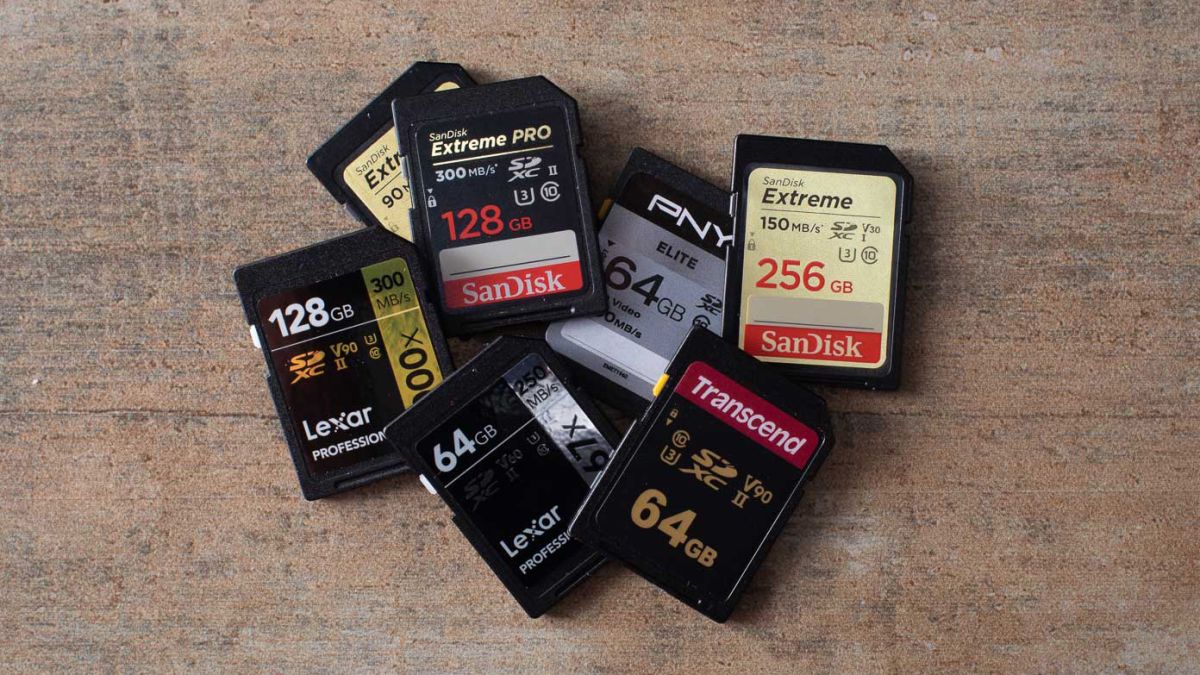
What to do when you can't format SD card
SD memory cards have surfaced as standard cards for digital cameras and microSD as phone standard memory cards. Most people have and use at least one daily, so naturally copying files and even formatting SD cards is a natural thing to do, but what if you cannot copy files or format SD cards? SD cardsFear not because we had this issue and tried several things in order to overcome the problem and after some time here is a list of what can you do if you are facing this exact issue. The list is written from most simple solutions to more complex ones and it is advisable to follow it as presented. That being said, let's dive into solving the problem.

1. Remove Write Protection on SD card

First and in my experience the most usual thing preventing deleting, copying files, and formating SD card is due to write protection. Take an SD card out of the laptop, camera, or card reader and visually inspect it. On side of almost every SD card, there is a hardware lock switch and mark where it needs to be positioned in order to be locked. Even if the switch is positioned on unlocked state, switch it to locked and then back to unlocked. Sometimes this easy moving of switch can resolve some contact issues and the card will start working normally. Another type of lock that could be turned ON is a software one. If for any kind of reason data protection has been turned ON, you will need to turn it off in order to be able to format an SD card. In order to do this follow this guide:
  1. Press ⊞ WINDOWS + R to open the Run dialog
  2. In run dialog type in diskpart and press ENTER
  3. Once diskpart is opened in command prompt type in: list disk and press ENTER
  4. Locate your SD card and type in select disk x, where x is disk number followed by ENTER
  5. After the SD card is selected type in: attributes disk clear read-only and press ENTER
This process will clear the software lock on the SD card, after following this method try to format the card again, if the problem still exists go to the next solution.

2. Format SD card using Command prompt

Command prompt is a great tool and can perform some commands that are not been able to be completed using file explorer or another tool inside Windows.
  1. In the taskbar search box, search for cmd and select the Command prompt
  2. On the right part select run as administrator
  3. If needed click on YES on UAC prompt
  4. Inside command prompt type in diskpart and press ENTER
  5. type in list disk followed by ENTER
  6. Select your SD card by locating its number in the list and typing select disk X, where is X SD cards number in list and press ENTER
  7. Once SD card is selected type in format fs=ntfs quick and press ENTER
This should format SD card but if for reason even this step is provided as unproductive, go to the next solution.

3. Format your card with the Disk Management tool

  1. Go into the taskbar and search for Disk Management and open it
  2. Select SD card partition that you wish to format
  3. Right-click on the partition and select format
  4. After the format is done, enter the volume label, file system, and allocation unit size. Confirm with OK
  5. Press OK again to confirm the formatting process.
If you have not managed to format your SD card even with this method go to the next solution.

4. Repartition card with Disk part

If all previous solutions have failed there is a chance that the SD card has bad sectors on it. If this is the case that we will need to partition cards in order to isolate bad sectors and use healthy ones.
  1. Press ⊞ WINDOWS + R to open the Run dialog
  2. In run dialog type in diskpart and press ENTER
  3. Once diskpart is opened in command prompt type in: list disk and press ENTER
  4. Locate your SD card and type in select disk x, where x is disk number followed by ENTER
  5. Type in Clean and press ENTER
  6. Type in Create partition primary and press ENTER
  7. To select a new partition type select partition 1 followed by ENTER
  8. Make partition active by typing active and pressing ENTER
  9. Format the drive by typing format fs=ntfs label=SDCard quick followed with ENTER
  10. Assign a letter to drive by typing assign letter=h followed with ENTER
  11. Type exit to close Command prompt followed again by ENTER and open File Explorer to check if the drive is active

5. Try a dedicated SD card formating fool

If anything failed so far, one last thing you could do is to download and try a dedicated SD card formatting tool. One that I would recommend is SD Memory Card Formatter, which is free software make specifically for formatting SD memory cards.
Read More
Fix Windows Update Error 0x80244007
Getting errors while trying to update your Windows 10 computer is not an uncommon occurrence. Although some of them are easy to fix, there are others that need a lot of time and research in order to resolve. One of these tough Windows Update errors is Error 0x80244007. This kind of Windows Update error halts the process of Windows Update and a simple system restart won’t help much to fix it. When you encounter this Windows Update error, you will see a description that says, “SOAP client failed because there was a SOAP fault for reasons of WU_E_PT_SOAP_* error codes”. One of the main causes of such an error is that Windows was not able to renew the cookies for Windows Update. To fix this error, here are some suggestions that might be useful.

Option 1 – Clear up temporary or junk files

The error could be caused by some temporary or junk files in your computer and so you need to clear them up to fix the problem. You can achieve that using the Storage Sense feature.
  • Open Setting > System > Storage from the WinX Menu.
  • From there, you will see a list of all the local and connected storage devices along with the details on the free space. Make sure that Storage Sense is on.
  • Next, find a link that says “Free Up Space” and click it to open.
  • After that, a screen which is the built-in program in Windows 10 will appear and will scan your computer for the following junk files so you can free up disk space:
    • Windows Upgrade Log Files
    • The system created Windows Error Reporting Files
    • Thumbnails
    • Temporary Internet Files
    • Previous Windows Installation Files
    • Delivery Optimisation Files
    • DirectX Shader Cache
  • Choose the files you want to get rid of and then click on the remove files option. Note that you’ll have an idea of the total size as you select any of the junk files listed above.
  • Now go to the “Free Up Space Now” section and click the Clear Now button. This will get rid of all the temporary or junk files in your computer and should hopefully fix the Windows Update error 0x80244007.

Option 2 – Try running the Windows Update troubleshooter

Windows 10 have various troubleshooters that can help you resolve many system issues. So if you’re dealing with Windows Update errors like Error 0x80244007, you can run the Windows Update troubleshooter to resolve it. To run it, go to Settings and then select Troubleshoot from the options. From there, click on Windows Update and then click the “Run the troubleshooter” button. After that, follow the next on-screen instructions and you should be good to go.

Option 3 – Try to reset the Windows Update components

If by any chance that the second option didn’t work, resetting the Windows Update components could also help you resolve the problem. How? Refer to the following steps:
  • Open Command Prompt with admin privileges.
  • After that, type each one of the following commands and hit Enter after you key in one after the other.
    • net stop wuauserv
    • net stop cryptsvc
    • net stop bits
    • net stop msiserver
Note: The commands you entered will stop the Windows Update components such as Windows Update service, Cryptographic services, BITS and MSI Installer.
  • After disabling WU components, you need to rename both the SoftwareDistribution and Catroot2 folders. To do that, type each one of the following commands below and don’t forget to hit Enter after you type one command after the other.
    • ren C:WindowsSoftwareDistribution SoftwareDistribution.old
    • ren C:WindowsSystem32catroot2 Catroot2.old
  • Next, restart the services you’ve stopped by entering another series of commands. Don’t forget to hit Enter after you key in one command after the other.
    • net start wuauserv
    • net start cryptsvc
    • net start bits
    • net start msiserver
  • Close Command Prompt and reboot your PC.
Read More
Should you build a custom PC

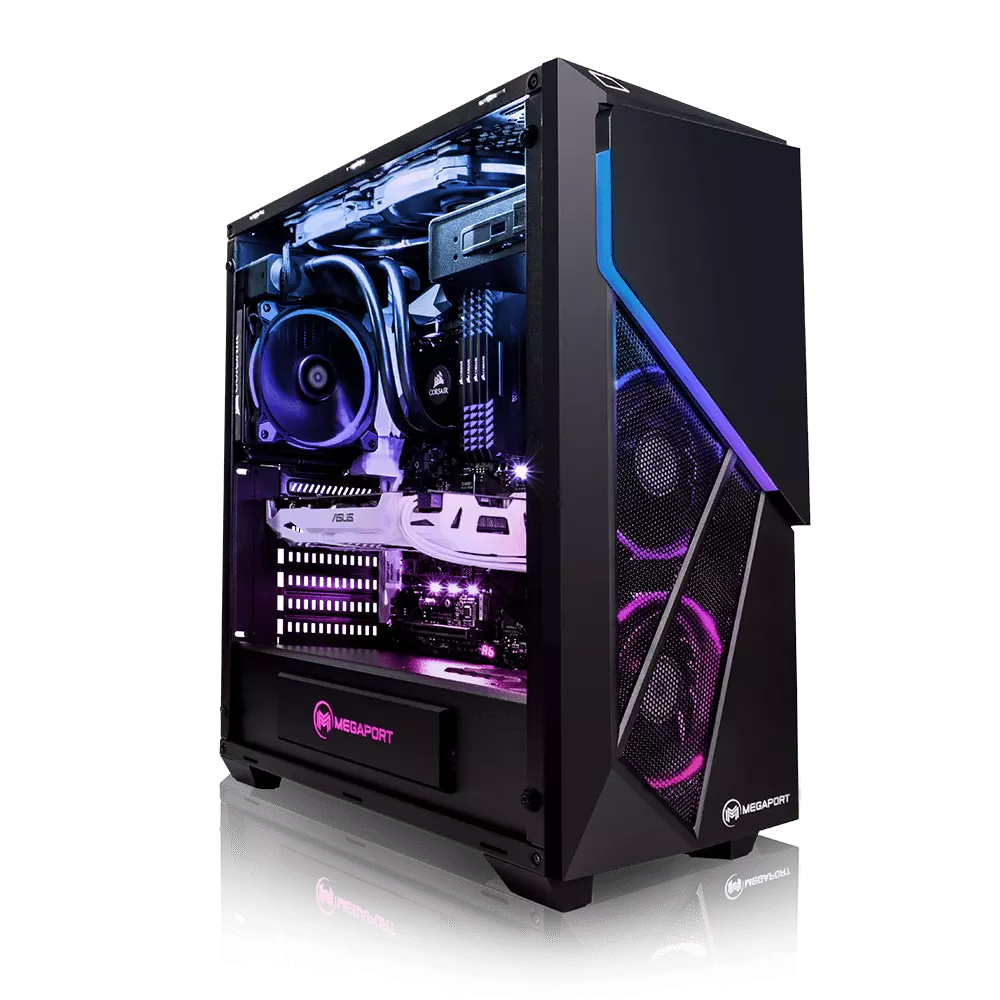
Building your own custom PC system can be one of the greatest things you can do to your budget. Instead of going for a rebuild, we will go into detail about why building your own PC is a much better option. Also, note that if you do not possess enough technical knowledge about a topic there are plenty of stores that will offer you advice on components and after all, you can always get help from a friend.

Custom PC

So without further diversion from the topic, let us explore all the benefits of building a custom computer.

Building a custom PC is cheaper

At the first look, this statement does not feel right since when you look at the prebuilt systems you get a feeling that it is much cheaper than do it yourself variant and although CPU and GPU seem like a great deal I beg you to look under the hood on other components. Usually to lower price compromise would be made on other crucial components like SD or power supply, a PC case, or motherboard so even if you have a good CPU and GPU that will not matter much since other components would not be able to catch up with them. After all, prebuild computers will need to pay people who are building them and there is no way that will be cheaper if you just plain went and bought the same components yourself and install them.

When you are in control in choosing each component there is not only being cheaper online, it is flexibility with building itself. You choose which components you want to be stronger and which to be normal. Also, you can choose the exact model of the given component leaving you more in control and open to future upgrades.

More flexibility

Also, it may sound irrelevant but when building your own custom PC you can also choose which company you would like to purchase for each model, yes considering the CPU it is AMD or Intel but when you are buying a case, SSD, GPU, and other components choosing the right company for your needs is also the thing that should not be overlooked.

You can customize it the way you want

Not really a quality argument but with a custom PC build, you can choose would you like that RGB component or not, you choose do you like white or black fans, and many more things. You really can place a personal stamp on the computer making it indeed a personal computer.

You choose OS and applications

When you buy an already prebuilt PC, usually it comes with some sort of OS on it, sometimes it is freedos, Linux and sometimes it is Windows Home. When you get your hands dirty you can place whichever system you want on it and install applications that you use and know and some preinstalled typical apps.

Read More
Step by Step Guide for Removing MyFunCardsToolbar

MyFunCards Toolbar is a browser hijacking extension for Google Chrome made by Mindspark Interactive. This extension installs a toolbar for your browser, changes your default search engine, and lowers the general performance of your browser. This extension has access to your personal information, injects your search results with potentially dangerous ads, and possibly breaks some of the browser functions. Since this extension injects its code into too many files and has access to all your browser details, upon removing it you will lose all your browser settings, themes, and login information. MyFunCards is considered a potentially unwanted application, and as a result, is flagged for optional removal by many anti-malware programs.

About Browser Hijackers

Browser hijacking is amongst the web’s constant problems that target internet browsers. It is a type of malware program that alters your web browser’s settings so that you are redirected to internet sites or pages that you had no intention of checking out. There are many reasons why you may have a browser hijack; however commercial, marketing, and advertising are the main reasons for their creation. It redirects you to the sponsored sites and injects advertisements on the browser that assists its developer to generate revenue. Even though it may seem naive, these tools were created by vicious people who always look to take advantage of you, so that they can easily earn money from your naivety and distraction. They not only mess up your browsers, but browser hijackers can also modify the computer registry to make your PC susceptible to various other types of attacks.

Key symptoms that an internet browser has been hijacked

When your web browser is hijacked, the following might happen: 1. the home page of the browser is changed all of a sudden 2. your internet browser is constantly being redirected to adult sites 3. the default search engine has been changed and the web browser security settings have been cut down without your knowledge 4. unwanted new toolbars are added to your browser 5. your browser will display endless pop-up ads 6. your internet browser has become unstable or starts running slowly 7. You cannot access certain websites, in particular anti-malware sites.

How browser hijacker finds its way onto your computer system

A browser hijacker could be installed on your PC if you visit an infected site, click an e-mail attachment, or download something from a file-sharing website. They could also be deployed via the installation of a web browser toolbar, add-on, or extension. A browser hijacker can be installed as a part of freeware, demoware, shareware, and fake programs. Common examples of browser hijackers include Conduit, CoolWebSearch, Coupon Server, OneWebSearch, RocketTab, Snap.do, Delta Search, and Searchult.com. Browser hijacking can cause severe privacy issues and even identity theft, disrupt your web browsing experience by taking control of outgoing traffic, significantly slows down your personal computer by depleting lots of resources and result in system instability as well.

Browser hijacker removal methods

Certain hijackers can be removed by just uninstalling the corresponding freeware or add-ons through the Add or Remove Programs in the Windows control panel. Having said that, the majority of hijackers are quite tenacious and require specialized applications to eradicate them. Moreover, browser hijackers can modify the Computer registry therefore it can be quite hard to repair manually, especially when you’re not a tech-savvy individual.

Malware Blocking Internet And All Antivirus Software? Do This!

All malware is inherently dangerous, but certain kinds of malicious software do more damage to your computer than others. Some malware goes to great lengths to prevent you from installing anything on your computer system, especially anti-virus software programs. If you’re reading this article, you may have got affected by malware that prevents you from downloading a security program such as Safebytes Antimalware on your PC. There are a few options you can try to get around with this particular obstacle.

Install the anti-virus in Safe Mode

If any malware is set to load immediately when Windows starts, stepping into Safe Mode could block the attempt. Just bare minimum required applications and services are loaded when you start your personal computer in Safe Mode. You will have to do the following to eliminate malware in Safe mode. 1) After switching on the computer, press the F8 key before the Windows splash screen begins to load. This should bring up the Advanced Boot Options menu. 2) Use the arrow keys to select Safe Mode with Networking and hit ENTER. 3) As soon as this mode loads, you will have an internet connection. Now, make use of your browser normally and go to https://safebytes.com/products/anti-malware/ to download and install Safebytes Anti-Malware. 4) As soon as the software is installed, allow the scan run to eliminate viruses and other threats automatically.

Use an alternate web browser to download security application

Malicious program code might exploit vulnerabilities on a specific web browser and block access to all antivirus software websites. If you are not able to download the anti-malware application using Internet Explorer, it means malware could be targeting IE’s vulnerabilities. Here, you need to switch over to a different web browser like Firefox or Chrome to download Safebytes software.

Make a bootable USB antivirus drive

Another option is to create a portable antivirus program on your USB stick. Adopt these measures to employ a USB flash drive to clean your corrupted computer system. 1) Download Safebytes Anti-Malware or MS Windows Defender Offline onto a clean computer system. 2) Plug the Flash drive into the clean computer. 3) Run the setup program by double-clicking the executable file of the downloaded software, with an .exe file format. 4) Select the USB flash drive as the location for saving the software file. Follow the on-screen instructions to complete the installation. 5) Now, plug the USB drive into the corrupted system. 6) Run the Safebytes Anti-malware directly from the thumb drive by double-clicking the icon. 7) Run Full System Scan to detect and get rid of all kinds of malware.

SafeBytes Anti-Malware: Lightweight Malware Protection for Windows Computer

Nowadays, anti-malware software can protect your computer from various forms of online threats. But exactly how to select the best one among numerous malware protection application that is available in the market? You may be aware, there are lots of anti-malware companies and tools for you to consider. Some of them are great and some are scamware applications that pretend as authentic anti-malware software waiting around to wreak havoc on your computer. While looking for an anti-malware program, pick one which gives dependable, efficient, and total protection against all known computer viruses and malware. One of the strongly recommended software is SafeBytes Anti-Malware. SafeBytes has a really good history of excellent service, and customers are happy with it. SafeBytes anti-malware is a powerful, very effective protection application created to assist users of all levels of IT literacy in finding and removing harmful threats from their PC. Using its outstanding protection system, this utility will easily detect and remove most of the security threats, which include viruses, adware, browser hijackers, PUPs, trojans, worms, and ransomware. SafeBytes has great features when compared with various other anti-malware programs. Below are a few of the best ones: Active Protection: SafeBytes provides a completely hands-free live protection that is set to monitor, prevent and destroy all computer threats at its very first encounter. They are very effective in screening and eliminating different threats because they’re continuously revised with new updates and alerts. Anti-Malware Protection: With its enhanced and sophisticated algorithm, this malware removal tool can identify and eliminate the malware threats hiding in your PC effectively. SuperSpeed Scanning: This application has one of the fastest and most effective virus scanning engines in the industry. The scans are extremely accurate and take a short amount of time to complete. Safe Web Browsing: Safebytes allots all websites with a unique safety ranking that helps you to have an idea of whether the website you’re about to visit is safe to view or known to be a phishing site. Lightweight: SafeBytes gives you total protection from internet threats at a fraction of the CPU load because of its advanced detection engine and algorithms. 24/7 Premium Support: Skilled technicians are at your disposal 24/7! They will quickly resolve any technical issues you might be encountering with your security software.

Technical Details and Manual Removal (Advanced Users)

If you wish to manually remove MyFunCardsToolbar without the use of an automated tool, it may be possible to do so by removing the program from the Windows Add/Remove Programs menu, or in cases of browser extensions, going to the browsers AddOn/Extension manager and removing it. You will likely also want to reset your browser. To ensure the complete removal, manually check your hard drive and registry for all of the following and remove or reset the values accordingly. Please note that this is for advanced users only and may be difficult, with incorrect file removal causing additional PC errors. In addition, some malware is capable of replicating or preventing deletion. Doing this in Safe Mode is advised.

The following files, folders, and registry entries are created or modified by MyFunCardsToolbar

Files: C:Program FilesFunWebProductsInstallr.binF3EZSETP.DLL C:Program FilesFunWebProductsInstallr.binF3EZSETP.DL_ C:Program Files C:Program FilesFunWebProducts C:PROGRA~1FUNWEB~1Installr.binF3EZSETP.DL_ C:Program FilesFunWebProductsInstallr.binF3EZSETP.DLL Registry: HKEY_LOCAL_MACHINESoftwareFunWebProductsInstaller HKEY_LOCAL_MACHINESOFTWAREMicrosoftWindowsCurrentVersion HKEY_LOCAL_MACHINESoftware HKEY_LOCAL_MACHINESoftwareMicrosoft HKEY_LOCAL_MACHINESoftwareMicrosoftWindows HKEY_LOCAL_MACHINESoftwareMicrosoftWindowsCurrentVersion HKEY_LOCAL_MACHINESoftwareMicrosoftWindowsCurrentVersionExt HKEY_LOCAL_MACHINESoftwareMicrosoftWindowsCurrentVersionExtPreApproved HKEY_LOCAL_MACHINESoftwareMicrosoftWindowsCurrentVersionExtPreApproved1D4DB7D2-6EC9-47a3-BD87-1E41684E07BB HKEY_CURRENT_USERSoftware HKEY_CURRENT_USERSoftwareMicrosoft HKEY_CURRENT_USERSoftwareMicrosoftWindows HKEY_CURRENT_USERSoftwareMicrosoftWindowsCurrentVersion HKEY_CURRENT_USERSoftwareMicrosoftWindowsCurrentVersionExt HKEY_CURRENT_USERSoftwareMicrosoftWindowsCurrentVersionExtSettings HKEY_CURRENT_USERSoftwareMicrosoftWindowsCurrentVersionExtSettings1D4DB7D2-6EC9-47a3-BD87-1E41684E07BB HKEY_CLASSES_ROOTFunWebProductsInstaller.Start.1 HKEY_CLASSES_ROOTFunWebProductsInstaller.Start.1CLSID HKEY_CLASSES_ROOTFunWebProductsInstaller.Start HKEY_CLASSES_ROOTFunWebProductsInstaller.StartCLSID HKEY_CLASSES_ROOTFunWebProductsInstaller.StartCurVer HKEY_CLASSES_ROOTCLSID HKEY_CLASSES_ROOTCLSID1D4DB7D2-6EC9-47a3-BD87-1E41684E07BB HKEY_CLASSES_ROOTCLSID1D4DB7D2-6EC9-47a3-BD87-1E41684E07BBProgID HKEY_CLASSES_ROOTCLSID1D4DB7D2-6EC9-47a3-BD87-1E41684E07BBVersionIndependentProgID HKEY_CLASSES_ROOTCLSID1D4DB7D2-6EC9-47a3-BD87-1E41684E07BBProgrammable HKEY_CLASSES_ROOTCLSID1D4DB7D2-6EC9-47a3-BD87-1E41684E07BBInprocServer32 HKEY_CLASSES_ROOTCLSID1D4DB7D2-6EC9-47a3-BD87-1E41684E07BBControl HKEY_CLASSES_ROOTCLSID1D4DB7D2-6EC9-47a3-BD87-1E41684E07BBMiscStatus HKEY_CLASSES_ROOTCLSID1D4DB7D2-6EC9-47a3-BD87-1E41684E07BBMiscStatus HKEY_CLASSES_ROOTCLSID1D4DB7D2-6EC9-47a3-BD87-1E41684E07BBTypeLib HKEY_CLASSES_ROOTCLSID1D4DB7D2-6EC9-47a3-BD87-1E41684E07BBVersion HKEY_LOCAL_MACHINESOFTWAREMicrosoftOLEAUT HKEY_CLASSES_ROOTTypeLib HKEY_CLASSES_ROOTTypeLib1D4DB7D0-6EC9-47A3-BD87-1E41684E07BB HKEY_CLASSES_ROOTTypeLib1D4DB7D0-6EC9-47A3-BD87-1E41684E07BB.0 HKEY_CLASSES_ROOTTypeLib1D4DB7D0-6EC9-47A3-BD87-1E41684E07BB.0FLAGS HKEY_CLASSES_ROOTTypeLib1D4DB7D0-6EC9-47A3-BD87-1E41684E07BB.0C:Program FilesFunWebProductsInstallr.binF3EZSETP.DLL C:Program FilesFunWebProductsInstallr.binF3EZSETP.DL_ C:Program Files C:Program FilesFunWebProducts C:PROGRA~1FUNWEB~1Installr.binF3EZSETP.DL_ C:Program FilesFunWebProductsInstallr.binF3EZSETP.DLL HKEY_LOCAL_MACHINESoftwareFunWebProductsInstaller HKEY_LOCAL_MACHINESOFTWAREMicrosoftWindowsCurrentVersion HKEY_LOCAL_MACHINESoftware HKEY_LOCAL_MACHINESoftwareMicrosoft HKEY_LOCAL_MACHINESoftwareMicrosoftWindows HKEY_LOCAL_MACHINESoftwareMicrosoftWindowsCurrentVersion HKEY_LOCAL_MACHINESoftwareMicrosoftWindowsCurrentVersionExt HKEY_LOCAL_MACHINESoftwareMicrosoftWindowsCurrentVersionExtPreApproved HKEY_LOCAL_MACHINESoftwareMicrosoftWindowsCurrentVersionExtPreApproved1D4DB7D2-6EC9-47a3-BD87-1E41684E07BB HKEY_CURRENT_USERSoftware HKEY_CURRENT_USERSoftwareMicrosoft HKEY_CURRENT_USERSoftwareMicrosoftWindows HKEY_CURRENT_USERSoftwareMicrosoftWindowsCurrentVersion HKEY_CURRENT_USERSoftwareMicrosoftWindowsCurrentVersionExt HKEY_CURRENT_USERSoftwareMicrosoftWindowsCurrentVersionExtSettings HKEY_CURRENT_USERSoftwareMicrosoftWindowsCurrentVersionExtSettings1D4DB7D2-6EC9-47a3-BD87-1E41684E07BB HKEY_CLASSES_ROOTFunWebProductsInstaller.Start.1 HKEY_CLASSES_ROOTFunWebProductsInstaller.Start.1CLSID HKEY_CLASSES_ROOTFunWebProductsInstaller.Start HKEY_CLASSES_ROOTFunWebProductsInstaller.StartCLSID HKEY_CLASSES_ROOTFunWebProductsInstaller.StartCurVer HKEY_CLASSES_ROOTCLSID HKEY_CLASSES_ROOTCLSID1D4DB7D2-6EC9-47a3-BD87-1E41684E07BB HKEY_CLASSES_ROOTCLSID1D4DB7D2-6EC9-47a3-BD87-1E41684E07BBProgID HKEY_CLASSES_ROOTCLSID1D4DB7D2-6EC9-47a3-BD87-1E41684E07BBVersionIndependentProgID HKEY_CLASSES_ROOTCLSID1D4DB7D2-6EC9-47a3-BD87-1E41684E07BBProgrammable HKEY_CLASSES_ROOTCLSID1D4DB7D2-6EC9-47a3-BD87-1E41684E07BBInprocServer32 HKEY_CLASSES_ROOTCLSID1D4DB7D2-6EC9-47a3-BD87-1E41684E07BBControl HKEY_CLASSES_ROOTCLSID1D4DB7D2-6EC9-47a3-BD87-1E41684E07BBMiscStatus HKEY_CLASSES_ROOTCLSID1D4DB7D2-6EC9-47a3-BD87-1E41684E07BBMiscStatus HKEY_CLASSES_ROOTCLSID1D4DB7D2-6EC9-47a3-BD87-1E41684E07BBTypeLib HKEY_CLASSES_ROOTCLSID1D4DB7D2-6EC9-47a3-BD87-1E41684E07BBVersion HKEY_LOCAL_MACHINESOFTWAREMicrosoftOLEAUT HKEY_CLASSES_ROOTTypeLib HKEY_CLASSES_ROOTTypeLib1D4DB7D0-6EC9-47A3-BD87-1E41684E07BB HKEY_CLASSES_ROOTTypeLib1D4DB7D0-6EC9-47A3-BD87-1E41684E07BB.0 HKEY_CLASSES_ROOTTypeLib1D4DB7D0-6EC9-47A3-BD87-1E41684E07BB.0FLAGS HKEY_CLASSES_ROOTTypeLib1D4DB7D0-6EC9-47A3-BD87-1E41684E07BB.0%#MANIFEST#% HKEY_CLASSES_ROOTTypeLib1D4DB7D0-6EC9-47A3-BD87-1E41684E07BB.0%#MANIFEST#%win32 HKEY_CLASSES_ROOTTypeLib1D4DB7D0-6EC9-47A3-BD87-1E41684E07BB.0HELPDIR HKEY_CLASSES_ROOTInterface HKEY_CLASSES_ROOTInterface1D4DB7D1-6EC9-47A3-BD87-1E41684E07BB HKEY_CLASSES_ROOTInterface1D4DB7D1-6EC9-47A3-BD87-1E41684E07BBProxyStubClsid HKEY_CLASSES_ROOTInterface1D4DB7D1-6EC9-47A3-BD87-1E41684E07BBProxyStubClsid32 HKEY_CLASSES_ROOTInterface1D4DB7D1-6EC9-47A3-BD87-1E41684E07BBTypeLib HKEY_CLASSES_ROOTInterface1D4DB7D3-6EC9-47A3-BD87-1E41684E07BB HKEY_CLASSES_ROOTInterface1D4DB7D3-6EC9-47A3-BD87-1E41684E07BBProxyStubClsid HKEY_CLASSES_ROOTInterface1D4DB7D3-6EC9-47A3-BD87-1E41684E07BBProxyStubClsid32 HKEY_CLASSES_ROOTInterface1D4DB7D3-6EC9-47A3-BD87-1E41684E07BBTypeLib HKLMSOFTWAREMyFunCards_5m HKLMSOFTWAREClassesMyFunCards_5m.SkinLauncher HKLMSOFTWAREClassesMyFunCards_5m.SettingsPlugin HKLMSOFTWAREClassesMyFunCards_5m.ScriptButton HKLMSOFTWAREClassesMyFunCards_5m.Radio HKLMSOFTWAREClassesMyFunCards_5m.PseudoTransparentPlugin HKLMSOFTWAREClassesMyFunCards_5m.MultipleButton HKLMSOFTWAREClassesMyFunCards_5m.HTMLPanel HKLMSOFTWAREClassesMyFunCards_5m.HTMLMenu HKLMSOFTWAREClassesMyFunCards_5m.FeedManager HKLMSOFTWAREClassesMyFunCards_5m.DynamicBarButton HKLMSOFTWAREClassesCLSID4bdd2be-51e9-4031-a7a7-b882b3abea12 HKEY_CLASSES_ROOTTypeLib1D4DB7D0-6EC9-47A3-BD87-1E41684E07BB.0C:Program FilesFunWebProductsInstallr.binF3EZSETP.DLL HKEY_LOCAL_MACHINESoftwareFunWebProductsInstaller HKEY_LOCAL_MACHINESOFTWAREMicrosoftWindowsCurrentVersion HKEY_LOCAL_MACHINESoftware HKEY_LOCAL_MACHINESoftwareMicrosoft HKEY_LOCAL_MACHINESoftwareMicrosoftWindows HKEY_LOCAL_MACHINESoftwareMicrosoftWindowsCurrentVersion HKEY_LOCAL_MACHINESoftwareMicrosoftWindowsCurrentVersionExt HKEY_LOCAL_MACHINESoftwareMicrosoftWindowsCurrentVersionExtPreApproved HKEY_LOCAL_MACHINESoftwareMicrosoftWindowsCurrentVersionExtPreApproved1D4DB7D2-6EC9-47a3-BD87-1E41684E07BB HKEY_CURRENT_USERSoftware HKEY_CURRENT_USERSoftwareMicrosoft HKEY_CURRENT_USERSoftwareMicrosoftWindows HKEY_CURRENT_USERSoftwareMicrosoftWindowsCurrentVersion HKEY_CURRENT_USERSoftwareMicrosoftWindowsCurrentVersionExt HKEY_CURRENT_USERSoftwareMicrosoftWindowsCurrentVersionExtSettings HKEY_CURRENT_USERSoftwareMicrosoftWindowsCurrentVersionExtSettings1D4DB7D2-6EC9-47a3-BD87-1E41684E07BB HKEY_CLASSES_ROOTFunWebProductsInstaller.Start.1 HKEY_CLASSES_ROOTFunWebProductsInstaller.Start.1CLSID HKEY_CLASSES_ROOTFunWebProductsInstaller.Start HKEY_CLASSES_ROOTFunWebProductsInstaller.StartCLSID HKEY_CLASSES_ROOTFunWebProductsInstaller.StartCurVer HKEY_CLASSES_ROOTCLSID HKEY_CLASSES_ROOTCLSID1D4DB7D2-6EC9-47a3-BD87-1E41684E07BB HKEY_CLASSES_ROOTCLSID1D4DB7D2-6EC9-47a3-BD87-1E41684E07BBProgID HKEY_CLASSES_ROOTCLSID1D4DB7D2-6EC9-47a3-BD87-1E41684E07BBVersionIndependentProgID HKEY_CLASSES_ROOTCLSID1D4DB7D2-6EC9-47a3-BD87-1E41684E07BBProgrammable HKEY_CLASSES_ROOTCLSID1D4DB7D2-6EC9-47a3-BD87-1E41684E07BBInprocServer32 HKEY_CLASSES_ROOTCLSID1D4DB7D2-6EC9-47a3-BD87-1E41684E07BBControl HKEY_CLASSES_ROOTCLSID1D4DB7D2-6EC9-47a3-BD87-1E41684E07BBMiscStatus HKEY_CLASSES_ROOTCLSID1D4DB7D2-6EC9-47a3-BD87-1E41684E07BBMiscStatus HKEY_CLASSES_ROOTCLSID1D4DB7D2-6EC9-47a3-BD87-1E41684E07BBTypeLib HKEY_CLASSES_ROOTCLSID1D4DB7D2-6EC9-47a3-BD87-1E41684E07BBVersion HKEY_LOCAL_MACHINESOFTWAREMicrosoftOLEAUT HKEY_CLASSES_ROOTTypeLib HKEY_CLASSES_ROOTTypeLib1D4DB7D0-6EC9-47A3-BD87-1E41684E07BB HKEY_CLASSES_ROOTTypeLib1D4DB7D0-6EC9-47A3-BD87-1E41684E07BB.0 HKEY_CLASSES_ROOTTypeLib1D4DB7D0-6EC9-47A3-BD87-1E41684E07BB.0FLAGS HKEY_CLASSES_ROOTTypeLib1D4DB7D0-6EC9-47A3-BD87-1E41684E07BB.0%#MANIFEST#% HKEY_CLASSES_ROOTTypeLib1D4DB7D0-6EC9-47A3-BD87-1E41684E07BB.0%#MANIFEST#%win32 HKEY_CLASSES_ROOTTypeLib1D4DB7D0-6EC9-47A3-BD87-1E41684E07BB.0HELPDIR HKEY_CLASSES_ROOTInterface HKEY_CLASSES_ROOTInterface1D4DB7D1-6EC9-47A3-BD87-1E41684E07BB HKEY_CLASSES_ROOTInterface1D4DB7D1-6EC9-47A3-BD87-1E41684E07BBProxyStubClsid HKEY_CLASSES_ROOTInterface1D4DB7D1-6EC9-47A3-BD87-1E41684E07BBProxyStubClsid32 HKEY_CLASSES_ROOTInterface1D4DB7D1-6EC9-47A3-BD87-1E41684E07BBTypeLib HKEY_CLASSES_ROOTInterface1D4DB7D3-6EC9-47A3-BD87-1E41684E07BB HKEY_CLASSES_ROOTInterface1D4DB7D3-6EC9-47A3-BD87-1E41684E07BBProxyStubClsid HKEY_CLASSES_ROOTInterface1D4DB7D3-6EC9-47A3-BD87-1E41684E07BBProxyStubClsid32 HKEY_CLASSES_ROOTInterface1D4DB7D3-6EC9-47A3-BD87-1E41684E07BBTypeLib HKLMSOFTWAREMyFunCards_5m HKLMSOFTWAREClassesMyFunCards_5m.SkinLauncher HKLMSOFTWAREClassesMyFunCards_5m.SettingsPlugin HKLMSOFTWAREClassesMyFunCards_5m.ScriptButton HKLMSOFTWAREClassesMyFunCards_5m.Radio HKLMSOFTWAREClassesMyFunCards_5m.PseudoTransparentPlugin HKLMSOFTWAREClassesMyFunCards_5m.MultipleButton HKLMSOFTWAREClassesMyFunCards_5m.HTMLPanel HKLMSOFTWAREClassesMyFunCards_5m.HTMLMenu HKLMSOFTWAREClassesMyFunCards_5m.FeedManager HKLMSOFTWAREClassesMyFunCards_5m.DynamicBarButton HKLMSOFTWAREClassesCLSID4bdd2be-51e9-4031-a7a7-b882b3abea12win32 HKEY_CLASSES_ROOTTypeLib1D4DB7D0-6EC9-47A3-BD87-1E41684E07BB.0HELPDIR HKEY_CLASSES_ROOTInterface HKEY_CLASSES_ROOTInterface1D4DB7D1-6EC9-47A3-BD87-1E41684E07BB HKEY_CLASSES_ROOTInterface1D4DB7D1-6EC9-47A3-BD87-1E41684E07BBProxyStubClsid HKEY_CLASSES_ROOTInterface1D4DB7D1-6EC9-47A3-BD87-1E41684E07BBProxyStubClsid32 HKEY_CLASSES_ROOTInterface1D4DB7D1-6EC9-47A3-BD87-1E41684E07BBTypeLib HKEY_CLASSES_ROOTInterface1D4DB7D3-6EC9-47A3-BD87-1E41684E07BB HKEY_CLASSES_ROOTInterface1D4DB7D3-6EC9-47A3-BD87-1E41684E07BBProxyStubClsid HKEY_CLASSES_ROOTInterface1D4DB7D3-6EC9-47A3-BD87-1E41684E07BBProxyStubClsid32 HKEY_CLASSES_ROOTInterface1D4DB7D3-6EC9-47A3-BD87-1E41684E07BBTypeLib HKLMSOFTWAREMyFunCards_5m HKLMSOFTWAREClassesMyFunCards_5m.SkinLauncher HKLMSOFTWAREClassesMyFunCards_5m.SettingsPlugin HKLMSOFTWAREClassesMyFunCards_5m.ScriptButton HKLMSOFTWAREClassesMyFunCards_5m.Radio HKLMSOFTWAREClassesMyFunCards_5m.PseudoTransparentPlugin HKLMSOFTWAREClassesMyFunCards_5m.MultipleButton HKLMSOFTWAREClassesMyFunCards_5m.HTMLPanel HKLMSOFTWAREClassesMyFunCards_5m.HTMLMenu HKLMSOFTWAREClassesMyFunCards_5m.FeedManager HKLMSOFTWAREClassesMyFunCards_5m.DynamicBarButton HKLMSOFTWAREClassesCLSID4bdd2be-51e9-4031-a7a7-b882b3abea12


Read More
How to Fix Error Code HPQTRA08.exe

HPQTRA08.exe - What is it?

HPQTRA08.exe (Hewlett Packard Tray 08) is the Hewlett Packard Digital Imaging Monitor task. It is installed with the drivers of HP imaging products like PhotoSmart Printers.

It incessantly monitors and indicates the connectivity status with any recognizable HP product.

Simply put, HPQTRA08.exe is an exe (executable) file that contains step-by-step instructions that a computer follows to carry out a function.

HPQTRA08.exe error code is displayed in any of the following formats:

  • "Hpqtra08.exe Application Error."
  • "Cannot find hpqtra08.exe."
  • "Hpqtra08.exe not found."
  • "Error starting program: hpqtra08.exe."
  • "Hpqtra08.exe is not a valid Win32 application."
  • "Hpqtra08.exe failed."
  • "Faulting Application Path: hpqtra08.exe."
  • "Hpqtra08.exe has encountered a problem and needs to close. We are sorry for the inconvenience."
  • "Hpqtra08.exe is not running."

Solution

Restoro box imageError Causes

Error code HPQTRA08.exe can be triggered for several reasons. However, some of the most common causes include:

  • Corrupt Windows registry keys
  • Virus infection
  • Deleted, damaged, or corrupted HPQTRA08.exe file
  • HPQTRA08.exe file conflict
  • Corrupt or incomplete installation of Hp Digital Imaging

It is advisable to repair the error code HPQTRA08.exe on your PC immediately. Delays can lead to serious problems especially if the underlying cause of the error is related to registry corruption.

Further Information and Manual Repair

To resolve this error on your PC, you don’t need to hire a professional and pay hundreds of dollars for the repair. Simply try the DIY methods listed below to fix the problem right away.

Method 1 - Download and Install HPQTRA08.exe File

If the error cause is related to deleted, corrupted, or damaged HPQTRA08.exe file, then the best way to fix the problem is to install the HPQTRA08.exe file on your PC.

However, first, make sure the site you select to download the file from is reliable and trusted.

By downloading from an unreliable website you can expose your PC to potential malicious programs and risk your data security.

Method 2 - Remove all Viruses

Sometimes viruses and malware tend to disguise in the form of exe files such as the HPQTRA08.exe file.

In such a situation scan your entire PC for viruses and malware using a powerful antivirus. Remove all the malicious programs found to fix the issue.

Method 3 - Clean and Repair the Registry

The registry saves all PC-related activities and information including both important and obsolete files such as cookies, bad registry entries, invalid keys, internet history, and junk files.

If these files are not removed from the registry frequently, these accumulate in the registry and corrupt thereby triggering error codes. Error code HPQTRA08.exe is generated when the corrupt Windows registry keys are associated with the HPQTRA08.exe file.

To resolve, clean the registry and repair it. Although this can be done manually it can be time-consuming and tricky especially if you are not technically sound, therefore it is advisable to download Restoro.

Click here to download Restoro and resolve error HPQTRA08.exe.

Method 4 - Locate and Install the Driver

As was pointed out, you might need to reinstall the printer driver again. Using DriverFIX, you’ll be able to automatically update your computer system and install the drivers your computer needs to operate smoothly.
Read More
Fix Storport.sys BSOD errors in Windows
As you can notice in Blue Screen errors, most of them point out a file that’s related to the errors. One of these files is the Storport.sys file which is a system file related to the storage of data in the storage unit of a computer. This file is created by the Microsoft Storage Port Driver. So if this file ends up getting dragged on Blue Screen errors, there can be a number of reasons for why it’s happened. Blue Screen errors related to the Storport.sys file may include conflicts with the hardware, incompatible firmware issues, corrupted drivers, missing or corrupted system files, to name a few. Here are some of the common Blue Screen errors related to the Storport.sys file:
  • KMODE_EXCEPTION_NOT_HANDLED
  • KERNEL DATA INPAGE
  • PAGE FAULT IN A NONPAGED AREA
  • SYSTEM THREAD EXCEPTION NOT HANDLED
  • IRQL NOT LESS OR EQUAL
  • SYSTEM SERVICE EXCEPTION
Microsoft Windows is the one that provides the Storport.sys file a storage port driver that is suited especially for the use of high-performance buses like fiber channel buses and RAID adapters. There are a number of advantages in using Storport instead of the SCSI Port, according to Microsoft:
  • “Improved performance, both in terms of throughput and the system resources that are utilized.
  • Improved Miniport driver interface that addresses the needs of high-end storage vendors, particularly host-based RAID and fiber channel vendors.”
If you encounter any of the above-mentioned Blue Screen of Death errors, then here are some troubleshooting options that might help but before you get to them, you can try to perform a System Restore first especially if you have the habit of creating System Restore points. This might fix the problem. To perform a system restore, refer to these steps:
  • First, tap the Win + R keys to open the Run dialog box.
  • After that, type in “sysdm.cpl” in the field and tap Enter.
  • Next, go to the System Protection tab then click the System Restore button. This will open a new window where you have to select your preferred System Restore point.
  • After that, follow the on-screen instructions to finish the process and then restart your computer and check if the problem is fixed or not.
If System Restore didn’t help in fixing the Blue Screen error, now’s the time for you to resort to the troubleshooting tips provided below but before you get started, make sure that you create a System Restore point first. In addition, you also have to boot into Safe Mode with Networking before you carry out the troubleshooting steps below.

Option 1 – Try to update or rollback your device drivers

The first thing you can try to fix the Storport.sys Blue Screen error is to either update or roll back the device drivers. It is most likely that after you updated your Windows computer that your driver also needs a refresh. On the other hand, if you have just updated your device drivers then you need to roll back the drivers to their previous versions. Whichever applies to you, refer to the steps below.
  • Open the Devices Manager from the Win X Menu.
  • Then locate the device drivers and right-click on them to open the Properties. Note that the main drivers that might be the cause behind the Storport.sys Blue Screen error will be listed under the “ID ATA/ATAPI controllers” section as well as the “Storage controllers” section.
  • After that, switch to the Driver tab and click on the Uninstall Device button.
  • Follow the screen option to completely uninstall it.
  • Finally, restart your computer. It will just reinstall the device drivers automatically.
Note: You can also directly download the relevant drivers of your computer from the manufacturers’ website. So if you have an SSD, the issue might be due to an old storage driver. Option 2 – Try to recreate the Storport.sys file If the first option didn’t work, the next thing you can do is to recreate the Storport.sys file. Every time your Windows 10 PC boots up, it looks for all the system drivers in place and if it is unable to find them, it tries to create them. This is why if you remove your corrupt driver file, chances are, you might get a fixed file recreated just for you. How? Refer to the steps below.
  • Boot your Windows 10 PC in Safe Mode.
  • Then open File Explorer and navigate to this location: C:/Windows/System32/drivers
  • From there, look for the file named sys and rename it to Storport.old.
Note: As you can see, the file’s extension has changed from .sys to .old.
  • Now restart your computer and check if the Storport.sys Blue Screen error is now fixed.

Option 3 – Run System File Checker or SFC scan

System File Checker or SFC is a built-in command utility that helps in restoring corrupted files as well as missing files. It replaces bad and corrupted system files to good system files. To run the SFC command, follow the steps given below.
  • Tap Win + R to launch Run.
  • Type in cmd in the field and tap Enter.
  • After opening Command Prompt, type in sfc /scannow
The command will start a system scan which will take a few whiles before it finishes. Once it’s done, you could get the following results:
  1. Windows Resource Protection did not find any integrity violations.
  2. Windows Resource Protection found corrupt files and successfully repaired them.
  3. Windows Resource Protection found corrupt files but was unable to fix some of them.
 Reboot your PC.

Option 4 – Try to run the DISM commands

You might want to repair potentially corrupted files in your system as having them could also trigger the Storport.sys Blue Screen error. To repair these corrupted system files, you can run the DISM commands:
  • Tap the Win + X keys and click on the “Command Prompt (Admin)” option.
  • After that, input each one of the commands listed below sequentially to execute them:
    • Dism /Online /Cleanup-Image /CheckHealth
    • Dism /Online /Cleanup-Image /ScanHealth
    • Dism /Online /Cleanup-Image /RestoreHealth
  • Once you’ve executed the commands given above, restart your computer and check if the dxgkrnl.sys Blue Screen error is now fixed.

Option 5 – Run the Blue Screen Troubleshooter

Troubleshooting Blue Screen of Death errors wouldn’t be complete without the Blue Screen troubleshooter. As you know, it is a built-in tool in Windows 10 that helps users in fixing BSOD errors like Storport.sys. It can be found on the Settings Troubleshooters page. To use it, refer to these steps:
  • Tap the Win + I keys to open the Settings panel.
  • Then go to Update & Security > Troubleshoot.
  • From there, look for the option called “Blue Screen” on your right-hand side and then click the “Run the troubleshooter” button to run the Blue Screen Troubleshooter and then follow the next on-screen options. Note that you might have to boot your PC into Safe Mode.
Read More
How to Resolve Dsound.dll Error Code

Dsound.dll Error Code - What is it?

Dsound.dll is a type of Dynamic Link Library. This is one of the many files that are associated with DirectX software. And DirectX software is used by most Windows-based games. Dsound.dll contains small programs that help run and load Windows-based games on your system. The Dsound.dll error pops when Windows-based games are unable to load and run on the computer. The error code appears on the screen in one of the following formats:
  • "The file dsound.dll is missing"
  • "File dsound.dll not found"
  • "Dsound.dll not found. Reinstalling might help fix this."
  • "Dsound.DLL Not Found"

Solution

Restoro box imageError Causes

Dsound.dll error is generated due to multiple reasons. These include:
  • Corrupt, damaged, or missing Dsound.dll file
  • Malware infection
  • Outdated drivers
To play the games on your computer, it is important to fix the Dsound.dll error immediately.

Further Information and Manual Repair

To resolve Dsound.dll error at home on your own without hiring a professional and spending hundreds of dollars in repair, here are some methods you can try:

Method 1 - Restart Your PC to Resolve

Sometimes the error may be a fluke and can be resolved by simply restarting your PC. So, before you try other methods, it is recommended that you restart your system first. If it resolves the issue, then that’s great. If it doesn’t, then try other methods given below!

Method 2 - Reinstall the Deleted Dsound.dll File

Since DLL files are shared files, there is a possibility that while uninstalling a game on your PC, you might have accidentally deleted this file too. If so, check your recycle bin and search for the deleted file. If you locate it, simply restore it. But if you can’t, then download the Dsound.dll file from a reliable DLL website. Make sure that the site is authentic because the last thing you want is to download malware instead of a DLL file.

Method 3 - Update Driver for Your Video Card

If Dsound.dll error occurs because of outdated drivers, then update them to resolve. You can do this by using a driver update wizard from within Device Manager. The wizard will guide you through the process, making updates simple.

Method 4 - Remove Malware

Download a powerful antivirus to scan and remove malware from your system. A malware infection can trigger a Dsound.dll error too.

Method 5 - Uninstall the Game and then reinstall it again

Try uninstalling the game during which you experienced this error. Sometimes the error may pop because of improper game installation. Uninstall it and then reinstall it. Once you’ve reinstalled it, try accessing it again. If it is accessible, the error is resolved.

Method 6 - Repair the Registry

DLL errors are also related to the registry. These files can get damaged if the registry gets loaded with junk files and cookies. In such as situation clean and repair the registry. You can do this manually but it can be time-consuming and tricky if you are not technically sound. Therefore download Restoro. It is a powerful and user-friendly PC Fixer embedded with a registry cleaner. The registry cleaner scans and removes all junk files clean the registry and repairs damaged DLL files immediately. Click here to download Restoro and resolve error Dsound.dll today!
Read More
Apple gaming is coming!!!

New Apple's upscaling technology called MetalFX will place iOS and macOS devices back into the gaming world. Apple had great games back in the old days and some all-time hits like the prince of Persia have been made first for apple but along the way, it just lost it.

Same as NVIDIA's DLSS and Intel's XeSS systems, Apple MetalFX also uses AI algorithms to upscale the resolution of output game frames. So, for example, the GPU inside your MAC might render the game at 1080p, but through MetalFX and AI upscaling it will look like a 4K image but have a good frame rate since it is rendered in base resolution.

apple metalfx

The ability to make AI strike a good balance between performance and image quality is a key to technology in today's modern gaming and having this technology will help developers a ton to be able to achieve great results on Apple hardware.

The First MetalFX Games

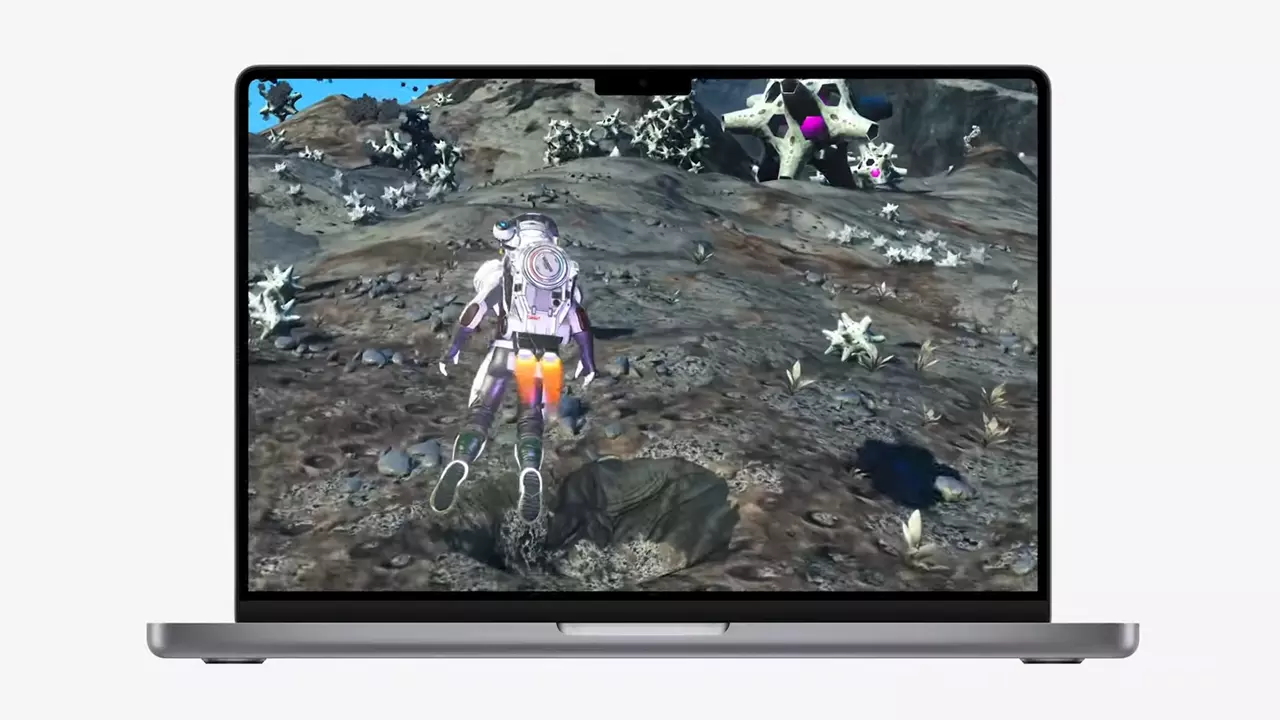
So far three official games that will use this technology and be released natively for Appl hardware are Resident Evil 8 Village, GRID legends, and No Man's Sky. All three games have been confirmed and Resident Evil 8 Village is already sent for review people are impressed since the game can run smoothly on all Apple devices, even ones with an M1 CPU.

Apple is back into gaming

When you say Apple gaming is probably the last thing that comes to your mind but truth be told Apple makes more money from games than Microsoft, Nintendo and Sony combined. Also, Apple itself was a big player once regarding computer games as well, Myst and Prince of Persia are games that were made and have been released for Apple first. Bungie was also founded by Apple developers and Halo was originally announced as a Mac game.

Apple has been trying and pushing gaming on its platform since it kind of died down. Today all Sony, Nintendo, and Microsoft controllers work without any issues with all Apple products. Apple also has its own gaming subscription service, Apple Arcade, and its Apple TV is packed with GPU that can rival Xbox ones.

MetalFX API ties and brings it all together, it is designed to get the most performance from the hardware by minimizing overhead.

Now, computers and laptops do not hold any large numbers if we look at the user base, and that could deter developers but if we look at iPad and iPhone things are different there, much different. How same CPU power these devices and how MetalFX is available across all products it is clear that there is a market for games there. No Man's Sky is coming to iPad using these technologies and bringing full computer experience to tablets.

Read More
Get a Custom URL for Your YouTube Channel
Having a youtube channel nowadays is quite an easy task, you just need to create a free google account and there you go, you can start uploading videos to your YouTube channel. All you need in today's world is some applications for manipulating video material, creation of titles and graphics, some charisma and ideas for content and you could be a well-known YouTuber. For some guidance on software needed for this kind of creativity, we urge you to check our article about open source free software alternatives to paying ones here. So now that we have technicality out of way there is one more prerequisite that is needed in order for you to have your unique custom URL for your channel.
  • The channel must be at least 30 days old.
  • The channel must have a profile picture and a banner image.
  • The channel must have at least 100 subscribers.
You need to fulfill all three prerequisites in order to change your typical URL to something nicer and personal like youtube.com/myGREATchannel So if you have everything needed let's get that custom URL for your channel.
  1. Sign in to your YouTube channel
  2. On the top-right corner of the YouTube window, click on your profile picture.
  3. From the drop-down menu, select YouTube Studio.
  4. From the list on the right side of the YouTube Studio page, select Customization.
  5. Under Channel customization, select Basic info.
  6. Under Channel URL, click on Set a custom URL for your channel.
  7. Your custom URL will appear in the box below. You can change it as you desire.
  8. Click on the Publish button on the top-right corner of the window to set your custom URL.

WORD OF WARNING:

Once the custom URL is set, it can neither be changed nor transferred to someone else so make sure that channel name is really something that you want for the long run.
Read More
Sites for COVID-19 information
Living in today's world sadly is still living in the COVID-19 pandemic. It has been more than a year and sadly pandemic is still very strong and we are battling it on a daily basis. Governments all over the world are trying to battle pandemics in their own way with their own ideas and prevention measures. We as individuals can not very much influence how will the pandemic itself go but fortunately in this modern age of information we can at least follow and be in the loop at the current state of the situation regarding it. Today instead of having a troubleshooting article or tips and trick for your PC we are doing something else but in the domain of internet technology, you know, just to keep everything still IT related ???? Below you will find websites with small descriptions of what they do to keep yourself informed and hope to get over this dreadful pandemic.
  1. The WHO’s COVID-19 Dashboard

    If you are interested in real-time COVID-19 information about active cases, death tool so far, new cases and the number of vaccines administrated so far I would recommend WHO's dashboard. How WHO is a non-government institution composed of doctors from all over the world with just a single goal in mind, to help and put an end to this pandemic is a great non-biased source of information on the current state of virus spread.
  2. Vaccine Finder

    Please be aware that Vaccinefinder is working only on the territory of the United States of America. The reason why it was included in this list is that basically it is a great idea and I hope to see this site expand on other world regions or at least that inspires the emergence of another worldwide website with this type of content. If you live in the USA, this site will be a great help since you can track where and how many shots are distributed to states and even towns in America.
  3. COVID tracking project

    This site is also for U.S. residents, this time it is about tracking cases in each state with details and statistics. If you are interested in more detailed statistics of hospitalized patients per state or overall you are just interested in statistics about the pandemic in the U.S. this site might provide all the information about your needs.
  4. NPR

    On national public radio or NPR for short, there is a special section devoted to the coronavirus where new articles about pandemic are released daily with new information and new findings on how to battle it and the current state of things. A great informational site to keep up with the current state of things.
  5. Google's COVID-19 page

    Google has not been inactive during this pandemic and on its page specially dedicated to the COVID-19 virus you can find a lot of free information updated daily. From safety and prevention tips to data about pandemics there is a lot of ground covered on-page and we recommend at least going through the prevention section to inform yourself how to keep yourself and others safe.
  6. Coronavirus tracker

    This daily updated chart can show how many cases and deaths are from chosen time period all in form of a chart, you can see charts for each country in the world how COVID cases rose or dropped along with the death tool it brought.
There you go, 6 websites to track and inform yourself about this dreaded pandemic which has managed to change the world and people's lives forever, sadly on the bad side.
Read More
1 2 3 171
Logo
Copyright © 2023, ErrorTools. All Rights Reserved
Trademark: Microsoft Windows logos are registered trademarks of Microsoft. Disclaimer: ErrorTools.com is not affiliated with Microsoft, nor claims direct affiliation.
The information on this page is provided for information purposes only.
DMCA.com Protection Status