
Logo

Purchased Adobe CC applications show as trial

Buying a product and then finding out that is not working is one of the most annoying and disappointing things that a consumer can experience. It is no secret that Adobe software and services online can malfunction or detect somewhat false information and behave accordingly placing buyers in an awkward position.

Adobe no matter how huge and great can also still sometimes has software that can misbehave in this way and sometimes downloading their suite and buying it after can not be 100% registered and even after the money is transferred and purchase has been completed you can still have a trial status for your adobe cloud applications.

In this guide, we will address this issue and see how we can fix it so you can get back to your creative work in no time.

Follow this guide as it is presented step by step.

  1. Wait an hour

    No, seriously, wait an hour. Sometimes transaction and registration of transaction along with activation can take up to one hour of time. If you just made a purchase and you are still under trial in the launcher, give it a little time to detect the purchase and adjust accordingly.

  2. Check to see if your subscription is active

    Sign in to https://account.adobe.com/plans. If you have more than one account, make sure you sign in with the proper one.
    Under My plans, select Manage plan.
    In the Plan Information section, check to make sure that your subscription is active. If it’s expired, it's likely why you’re seeing messaging that indicates you are in trial mode or that your trial has expired.
    If your subscription is showing as active, then an out-of-date payment method may be the issue.
    To see if your payment information is current, in the Plan information section, select Manage payment.
    If your payment method isn’t current, update your credit card information in the pop-up window and select Save.
    Your new payment method will take effect in the next billing cycle.

  3. Sing out and then sign back in

    Open the Creative Cloud desktop app. (Select the icon in your Windows taskbar or the macOS menu bar.)


    Select the Account icon in the upper right, and then select Sign out.
    In the confirmation dialog box, select Sign Out. The Creative Cloud apps and services associated with your account are deactivated on the computer.
    Sign in again to your Adobe account.
    Launch any Creative Cloud app included in your membership, such as Photoshop or Illustrator. If prompted, sign-in on the next screen.

  4. Update creative cloud applications

    Open the Creative Cloud desktop app. (Select the icon in your Windows taskbar or the macOS menu bar.)
    Depending on your version of the Creative Cloud desktop app, do one of the following:
    On the Help menu, select Check for updates.
    or

    Select the three vertical dots icon in the upper-right corner of the app.
    Choose Check for App Updates from the menu.
    If you aren’t using the latest version of your Creative Cloud app, an update prompt appears next to it on the apps list. Select Update.
  5. Remove entries in the HOSTS file

    If the previous solutions do not work, your computer could have trouble connecting to Adobe's activation servers. This could be because of an incorrectly configured Operating System hosts file (Operating system hosts files map host names to IP addresses).
    To solve this issue, try removing Adobe-related entries from the hosts file. You can remove the Adobe-related entries from the hosts file in two ways:
    Automatically repair the hosts file using the Limited Access Repair tool: Repair the hosts file using the Limited Access Repair tool. With this method, you do not have to manually edit the hosts file -- the tool automatically repairs the file.
    Reset the hosts file manually: If the issue is not fixed even after you run the Limited Access Repair tool, reset the hosts file manually:
    To reset the hosts file on Windows, do the following:
    Navigate to C:\WINDOWS\System32\drivers\etc.
    Open the hosts file with a text editor such as Notepad.
    Check for any Adobe-related entries in the hosts file.
    If there are Adobe-related entries in the hosts file, move the file to the desktop, for example by dragging.
    Delete the Adobe-related entries from the hosts file. Make sure that you do not delete any other entries.
    Save the hosts file that you edited in the previous step. The updated hosts file should not have any Adobe-related entries.
    Move the file from desktop to the original location: C:\WINDOWS\System32\drivers\etc. When moving the file, select the Replace option.
    To reset the hosts file on macOS, do the following:
    To find the hosts file, open Finder and then choose to Go > Go to Folder. In the box, type the following location and then press Return: /private/etc/hosts
    If you are unable to locate the file, it means that the hosts file is hidden. Type the following command in terminal to unhide the file, and then repeat Step 1. chflags nohidden /etc/hosts
    Open the hosts file using a text editor such as Text Edit.
    Check for any Adobe-related entries in the hosts file.
    If there are Adobe-related entries in the hosts file, move the file to the desktop, for example by dragging.
    Delete the Adobe-related entries from the hosts file. Make sure that you do not delete any other entries.
    Save the hosts file that you edited in the previous step.
    Move the file from the desktop to the original location: /private/etc/hosts. When moving the file, select the Replace option.

Do You Need Help with Your Device?

Our Team of Experts May Help
Troubleshoot.Tech Experts are There for You!
Replace damaged files
Restore performance
Free disk space
Remove Malware
Protects WEB browser
Remove Viruses
Stop PC freezing
GET HELP
Troubleshoot.Tech experts work with all versions of Microsoft Windows including Windows 11, with Android, Mac, and more.

Share this article:

You might also like

Adobe Express review

Social media is here to stay it seems, from Facebook, Instagram, Twitter, etc each site has its users and its rules. Companies, bloggers, public figures, and people, in general, are using them on a daily basis and some are posting cool ads, nice graphics, videos, and many more in order to gain followers or just to share something that they think is worth.

adobe express

Making your post look good is somewhat essential if you plan on reaching a larger audience and Adobe's Express aims to fill that gap. It is the latest Adobe product that is purposely made for graphic and video creation for social media.

Adobe is well known in the world of professional design in all spheres like print, web, and motion, with this application, they want to take over social media design with Express. The direct competitor to Spark and canva, Express is filled with high-quality adobe templates and some great stuff found in photoshop like automatic background removal which gives it an edge over other applications.

The good thing about Express is that there is a completely free version and premium, like its competitors but with some benefits that clearly show that Adobe is determined to place its application on top of the game. The free plan includes:

  • Thousands of unique templates, design assets, and Adobe Fonts.
  • A limited collection of royalty-free Adobe Stock-free collection photos.
  • Basic editing and photo effects including remove background and animate.
  • Create on both web and mobile.
  • 2GB of storage.

For 10 USD per month of 100 USD prepaid annual fee, you get a premium plan that includes:

  • All premium templates and design assets.
  • The entire collection of over 160 million royalty-free Adobe Stock collection* photos.
  • Over 20,000 licensed Adobe Fonts, curved type, grids, and font pairs.
  • Premium features like refine cutout, resize, and graphic groups.
  • Plan, schedule, and publish social media content across multiple channels.
  • Add your branding, logo, colors, and fonts in one tap.
  • Convert & export to and from PDFs and other file types.
  • Create, manage, and share your templates and assets with Creative Cloud Libraries.
  • Create on both web and mobile.
  • 100GB of storage.

The application itself is incredibly easy to learn and to work with and literally, anyone can pick it up and start creating immediately. No matter are you just starting with social media or using Canva or Spark, give Express a go, make a free account and try it, I guarantee that you will find some features amazing, and its ease of use relaxing.

Read More
How to Fix Missing MSVCR80.dll Error

Missing MSVCR80.dll Error - What is it?

Msvcr80.dll is a runtime dynamic link library file. This file is typically required to run programs written with Visual Studio. Msvcr80.dll error messages might appear when using or installing certain programs on your PC, that are dependent on the Msvcr80.dll file to run and load. This error message may appear on your computer screen in either of the following formats:
  • "Msvcr80.dll Not Found"
  • "This application failed to start because msvcr80.dll was not found. Re-installing the application may fix this problem."
  • "The file msvcr80.dll is missing."
  • "Cannot start [APPLICATION]. A required component is missing: msvcr80.dll. Please install [APPLICATION] again.
  • "APSDaemon.exe - System Error - MSVCR80.dll is missing from your computer."
  • "Cannot find [PATH]msvcr80.dll"

Solution

Restoro box imageError Causes

Msvcr80.dll error is a common Windows PC error. This error code may occur due to multiple reasons. These include:
  • Removal and corruption of Msvcr80.dll file
  • Registry issues
  • Viral infection
  • Hardware failure
  • Improper software installation
It is advisable to resolve this error code to avoid inconvenience. This error may hamper your ability to access and run your desired program.

Further Information and Manual Repair

Here are some of the best and easiest DIY solutions to fix the Msvcr80.dll error on your PC right away:

1. Check your Recycle Bin for the Missing Msvcr80.dll file or Download the Msvcr80.dll file from a Trusted Website

If you receive the error message ‘missing Msvcr80.dll file’ then first check the recycle bin. It is possible that you may have unknowingly deleted the Msvcr80.dll file while uninstalling a program from the PC. Remember dll files are shared files. These files are used by a number of programs on your PC to run and load. There is a possibility that the program you uninstalled shared the same file to run on your PC. So, when removing that program from your PC it could have also deleted the Msvcr80.dll file. Therefore, check your recycle bin to restore the missing file. Nonetheless, if in case you are unable to locate the missing Msvcr80.dll file, then try downloading it on your PC. However, when doing so, make sure you download the file from a reliable dll download website.

2. Uninstall and Reinstall Apple iTunes Program

This error commonly pops up when running Apple iTunes on your PC. To resolve this issue, and ensure smooth access to Apple iTunes, here’s what you need to do: uninstall from Windows the following programs in this order: Apple iTunes, Software update, Apple Mobile device support, Bonjour, application support, iCloud and mobile me. Skip over software that you haven’t installed already on your system. When uninstalling the programs, if you have two entries of the same software, then uninstall the older version first and then the newer one. To do so, go to Applet in the Control Panel.  It is called programs and features in Windows 7, 8, and Vista and add/remove programs in Windows XP. Once all Apple software is uninstalled, the next step is to download the latest version of iTunes from Apple. After the software is downloaded on your system successfully, run it. This is most likely to resolve the issue.

3. Scan for Viruses

If the issue still persists, then the underlying cause could be related to malware invasion. Therefore in such circumstances, it is advisable to scan for viruses and malware with a powerful antivirus on your PC and remove them right away. Please note, using an antivirus may slow down your PC performance.

4. Perform Registry Scan and Repair

When the registry is overloaded with unnecessary and redundant files like junk files, cookies, invalid entries, and bad keys, it gets corrupted easily thereby generating errors like Msvcr80.dll errors. To resolve this issue, you must perform a registry scan and repair it with a powerful registry cleaner. Whether the cause of the issue is a viral infection or the cause is related to registry problems, the best way to resolve the issue without compromising the speed of your system is to download Restoro. This is an advanced, cutting-edge, and multi-functional PC repair tool. It is compatible with all Windows versions. This software is embedded with multiple PC repair and performance-boosting utilities such as a registry cleaner, an antivirus, and a system optimizer. It has a high functional intuitive algorithm and a user-friendly interface. The registry cleaning feature detects all registry issues, wipes unnecessary files, cleans and repairs the corrupt registry and damaged dll files. The antivirus utility scans for all types of malware, viruses, Trojans, and spyware and removes them immediately. While the system optimizer module helps boost your computer’s performance to its optimal level.  In just a few simple clicks, the Msvcr80.dll error is resolved. To get started, click here to download Restoro on your PC today!
Read More
Find out bottlenecks in your PC easily
Building a custom PC is a great feeling but it can sometimes not be ideal and we are not talking about breaking or losing parts. What we mean is that choosing the right components can be sometimes a difficult task. Of course, picking a PC case can have its issues, choosing the right power supply can be tricky but pairing all components together, especially CPU and GPU can be tricky. bottlenecksBuilders with no depth knowledge and experience can sometimes choose improper CPU or GPU, picking one of them to be much more powerful than another thus not using it to its full potential because another component cannot handle stuff at the same speed. In order to not be trumped by this kind of stuff, there is a website that is completely free and you do not even need to be registered in order to use it. Bottlenet calculator link here What is even better, once you input your components you will get advice on what to change in order to tweak the system a little more to avoid bottlenecks even more. It is a very useful tool and we are advising you to use it in order to save money but not throwing it on some component that will be half used.
Read More
Driver Power State Failure Error in Windows
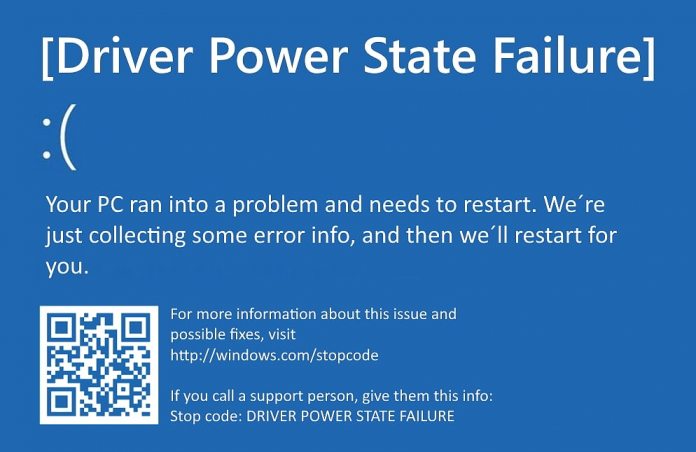
Driver state power failure error can be linked to three things happening in your computer. Incorrect power settings, driver issues, or incompatible hardware. Sadly when this error happens you only receive a blue screen of death with this message: Blue screen of death driver power state failureSadly receiving this blue screen does not really explain which of the three cases is the correct one and causing the unwanted issue. That being said, this article will not offer you a direct solution this time, it will be more like a guide on what to check and to do in order to remove this error, reason for this is the nature of the error itself. If your computer is booting properly and you can enter Windows without issues the first thing you can try is going into power options and set it to high performance, if you are on a laptop set high performance both ways, when plugged and when on battery. Power performance settings can reflect on some hardware and can cause mayhem. After setting reboot the computer and see if the error repeats itself. If the error persists go to the device manager and see if there is hardware that has any kind of warning beside it. If there is, update the driver or remove the driver of the device to see if this fixes the issue. If all of the previous two things fail there is another thing you could try. Turn off your computer and disconnect all hardware except the most basic one. Now, this may take a long period of time but boot your computer and then repeat this process but each time add a new piece of hardware to eliminate and find which one is causing the issue. When found try to see if it is repairable through driver updates or get a new device.
Read More
Overwatch lost connection to the game server
Overwatch has taken the world by the storm, it introduced new mechanics in gameplay, colorful characters, various game modes and it is constantly updated with new content for free. If you have friends to play with this game is even better but sometimes errors occur and the game loses connection to the game server making it unplayable since it requires a constant internet connection to the server to function. Keep reading and try provided solutions as they are presented to fix this issue and continue gaming.
Read More
Software review series: Wolfram Mathematica
For three decades, Wolfram Mathematica has defined the state of the art in technical computing and provided the principal computation environment for millions of innovators, educators, students, and others around the world. Widely admired for both its technical prowess and elegant ease of use, Mathematica provides a single integrated, continually expanding system that covers the breadth and depth of technical computing—and seamlessly available in the cloud through any web browser, as well as natively on all modern desktop systems. With energetic development and consistent vision for three decades, Mathematica stands alone in a huge range of dimensions, unique in its support for today's technical computing environments and workflows.

A Vast System, All Integrated

Mathematica has nearly 5,000 built-in functions covering all areas of technical computing—all carefully integrated so they work perfectly together, and all included in the fully integrated Mathematica system.

Not Just Numbers, Not Just Mathematica But Everything

Building on three decades of development, Mathematica excels across all areas of technical computing—including neural networks, machine learning, image processing, geometry, data science, visualizations, and much more.

Unimaginable Algorithm Power

Mathematica builds in unprecedentedly powerful algorithms across all areas—many of them created at Wolfram using unique development methodologies and the unique capabilities of the Wolfram Language.

Higher Level Than Ever Before

Superfunctions, meta-algorithms... Mathematica provides a progressively higher-level environment in which as much as possible is automated—so you can work as efficiently as possible.

Everything Is Industrial Strength

Mathematica is built to provide industrial-strength capabilities—with robust, efficient algorithms across all areas, capable of handling large-scale problems, with parallelism, GPU computing, and more.

Powerful Ease of Use

Mathematica draws on its algorithmic power—as well as the careful design of the Wolfram Language—to create a system that's uniquely easy to use, with predictive suggestions, natural language input, and more.

Documents As Well As Code

Mathematica uses the Wolfram Notebook Interface, which allows you to organize everything you do in rich documents that include text, runnable code, dynamic graphics, user interfaces, and more.

The Code Makes Sense

With its intuitive English-like function names and coherent design, the Wolfram Language is uniquely easy to read, write, and learn.

Make Your Results Look Their Best

With sophisticated computational aesthetics and award-winning design, Mathematica presents your results beautifully—instantly creating top-of-the-line interactive visualizations and publication-quality documents.

150,000+ Examples

Get started with almost any project with help from 150,000+ examples in the Documentation Center, over 10,000 open-code Demonstrations in the Wolfram Demonstrations Project—and a host of other resources.

Instant Real-World Data

Mathematica has access to the vast Wolfram Knowledgebase, which includes up-to-the-minute real-world data across thousands of domains.

Seamless Cloud Integration

Mathematica is now seamlessly integrated with the cloud—allowing sharing, cloud computing, and more in a unique and powerful hybrid cloud/desktop environment

Connected to Everything

Mathematica is built to be connected to everything: file formats (180+), other languages, Wolfram Data Drop, APIs, databases, programs, the Internet of Things, devices—and even distributed instances of itself. If you would like to read more helpful articles and tips about various software and hardware visit errortools.com daily.
Read More
How to Fix Windows Update Error 0x80070103

What is error code 0x80070103?

When visiting the Windows Update Website or the Microsoft Update Website to download the latest update for hardware drives, you could possibly receive Error Code 0x80070103 when clicking on the update driver. This error code occurs when Windows tries to download a piece of identical hardware for a second time. It could also occur when Windows tries to update a currently installed driver to an unsuitable version of that driver.

Solution

Restoro box imageFurther Information and Manual Repair

There aren’t many ways to handle this issue. Below are two methods of fixing Error Code 0x80070103.

Method 1:

  • Visit the Microsoft Update Website
  • After the "scan for updates" is complete, click the Welcome or Custom page.
  • Next, click Hardware, in the navigation panel, and then on the tab for "optional hardware Updates", the Update client will display the available updates.
  • For the graphics card, scan the second update after which you'll click to select the option that says "do not show this update again".
  • Hit the "Review and install updates" button.
  • Confirm that the second update for the graphics card is not present, then move on the installing the updates.
  • Click on the start button, go to All Programs, and then click on Windows Update.
  • Hit the "Check for updates" tab.
  • After the "scan for updates" is over, click the"Optional updates" link.
  • In the "Select the updates you want to install" section, right-click the update that is not needed and hide them.
  • Hit the OK button.
  • To install any additional updates that are selected, click "Install Updates". Close Windows Update if no other updates are selected,
  • For touch screens, swipe in from the right edge of the screen, tap Search (or point to the upper-right corner of the screen if you're using a mouse, moving the pointer down, before clicking Search). Enter "Windows Updates" in the search box, click Settings, and then click "Check for updates".
  • After the scan is complete, click the"Optional updates are available" link.
  • Right-click or Tap and hold the update you want to hide, select"Hide update", and then select OK.
  • If any other updates are available, save all work in "other programs", then restart the computer to the install updates; otherwise, opt out of the Windows Update window.
Open the search window and type “Windows Update” in the search box.

Method 2:

When trying to repair error code 0x80070103, if you find method one hard to follow, can contact Microsoft directly. Call up the help center number listed on their website, and a technician will be able to walk you through the process of ensuring the updater is not attempting to download multiple copies of hardware or trying to install unusable updates on your computer. Because the Windows Updater is set to a generic method of searching for updates, it may not be set to optimize the personal computer's settings. This is why you must select all of the optional update options and why this process is so long. It may be made easier by having a computer repairs technician walk you through it. However, if you want to automate the process of getting that problem solved, you can use a powerful tool to get the job done.
Read More
Proton Drive, privacy-first cloud storage

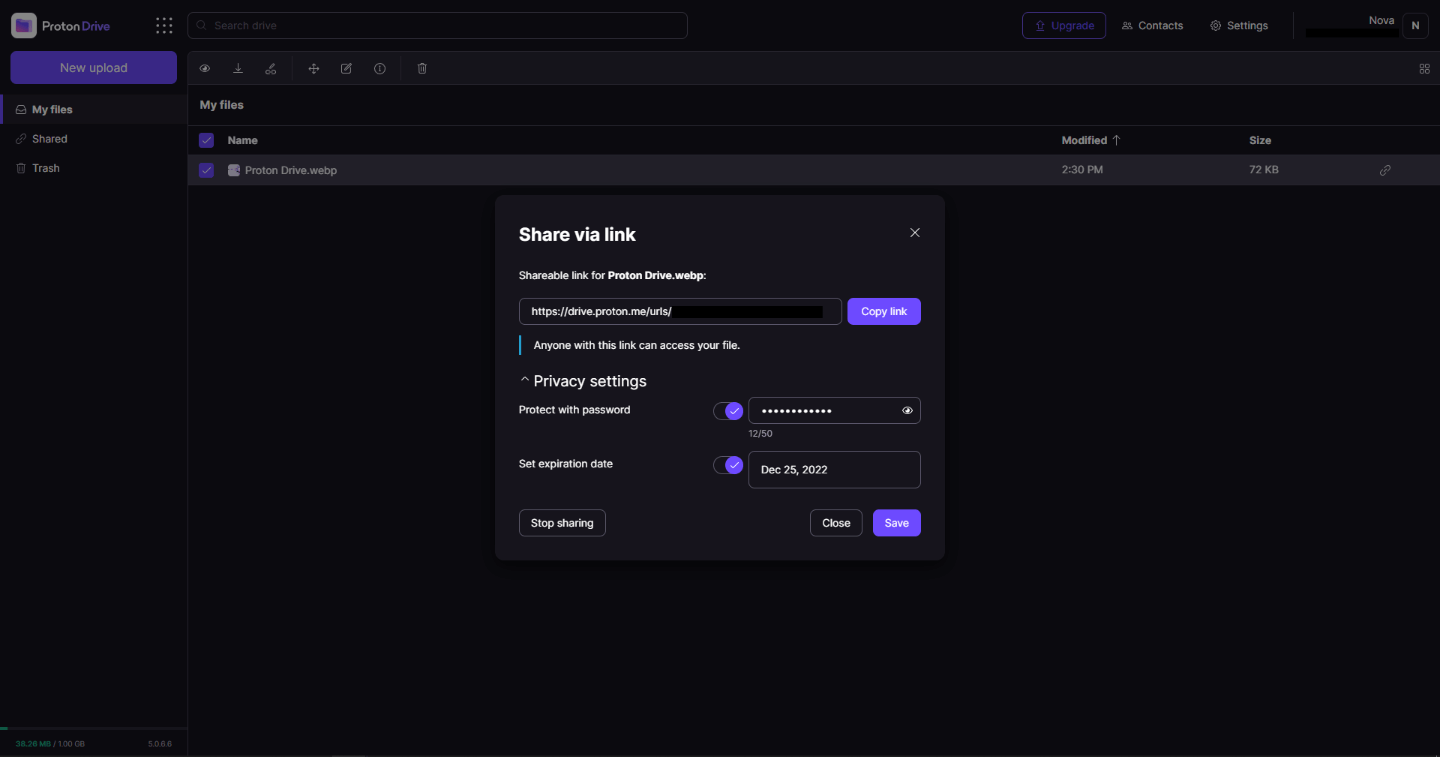
In 2014 Proton mail started as an end-to-end encrypted email service offering secure and private email services. Proton mail is still live and going with the same dedication to privacy and security but the company has expanded its offering into cloud storage drive services.

Starting as a public beta at the end of 2020, Proton Drive is keeping its privacy and security policy philosophy with the new service. Proton Drive is the newest service besides Proton Calendar, Proton VPN, and Proton Mail.

proton drive

Drive has end-to-end encryption for everything on it including files themselves, filenames, folder structure, folder names, extensions, and file sizes. This means that you and only you can access your files. Servers are located in Geneva, Switzerland and they are under Swiss privacy laws making sure that your files are protected. Proton services in general are all open source so anyone can take a look at them to be sure that nothing is lurking under the hood. For now, sync is done either via the android app or web interface but the desktop client will come soon since currently, it is under development.

Sadly free plan of Proton Drive will give you only 1GB of storage which is much less than other services and sadly payments plans are also not so jaw-dropping going for $4 USD per month for a 200GB plan or with Proton ultimate subscription that will set you $10 behind but you will get 500GB of drive storage. Of course, if you value privacy for your files these options are good but if you do not mind that part other services have much better options.

All in all Proton Drive is a great cloud storage solution if you need privacy and well worth the investment. With the ultimate subscription, you will get enough space for most people and company needs with other services and guaranteed privacy and security, on the other hand, if you just need a large amount of cloud storage not caring too much about privacy other options are better.

Read More
How to Fix DCOM Error 1084 on Windows
Distributed Component Object Model or DCOM is a module on Windows computers that allows computers to run programs over a network to another computer. It is a software component from Microsoft that allows COM objects to communicate with each other while that program is remotely running over the network. The COM Model is another extension of the DCOM model which both work together in order for the intended task to be executed. To make this module work, there are three components needed such as the Class Identifier or CLSID, the Programmatic Identifier or PROGID, and the Application Identifier or APPID. However, DCOM does not always work as expected as it could still encounter some errors. One of them is error 1084. Because of this error, the execution of programs in a remote computer on the network would be interrupted. So if you encounter the DCOM error 1084 when you try to start a service like running the DISM tool or in other scenarios on your Windows 10 computer, then this post could help you. Refer to the instructions given below to start troubleshooting the problem.

Option 1 – Try checking the status of DCOMLAUNCH Service or DCOM Server Process Launcher and its 3 dependencies

The DCOM Server Process Launcher service launches both COM and DCOM servers in response to object activation requests. This is why if this service is stopped or disabled, the programs that are using COM and DCOM won’t properly function. So you need to make sure that the DCOMLAUNCH service is running.
  • In the Cortana search box, type “services” and click on the Services icon to open the Services Manager. Alternatively, you can also tap the Win + R keys to launch the Run prompt and then type “services.msc” in the field and hit Enter to open the Services Manager.
  • Next, check the following services:
    • DCOM Service Process Launcher
    • Background Tasks Infrastructure Service
    • Local Session Manager
    • Remote Procedure Call (RPC)
  • Then right-click on each one of the services and click on their Properties.
  • After that, select Automatic from the drop-down menu of Startup Type and make sure that all the aforementioned services are Running.
  • Now click OK for each one of the services.

Option 2 – Troubleshoot the problem in a Clean Boot State

There are instances that some conflicting programs installed in your computer might be the one that’s causing DCOM error 1084. To identify which program is causing the problem, you need to put your computer in a Clean Boot State. To do so, follow the steps below.
  • Log onto your PC as an administrator.
  • Type in MSConfig in the Start Search to open the System Configuration utility.
  • From there, go to the General tab and click “Selective startup”.
  • Clear the “Load Startup items” check box and make sure that the “Load System Services” and “Use Original boot configuration” options are checked.
  • Next, click the Services tab and select the “Hide All Microsoft Services” check box.
  • Click Disable all.
  • Click on Apply/OK and restart your PC. (This will put your PC into a Clean Boot State. And configure Windows to use the usual startup, just simply undo the changes.)
  • From there, start to isolate the problem by checking which one of the programs you installed recently is the root cause of the problem.

Option 3 – Try to use the DISM tool

You might want to repair potentially corrupted files in your system as having them could also trigger the DCOM error 1084. To repair these corrupted system files, you can run the DISM commands:
  • Tap the Win + X keys and click on the “Command Prompt (Admin)” option.
  • After that, input each one of the commands listed below sequentially to execute them:
    • Dism /Online /Cleanup-Image /CheckHealth
    • Dism /Online /Cleanup-Image /ScanHealth
    • Dism /Online /Cleanup-Image /RestoreHealth
  • Once you’ve executed the commands given above, restart your computer and check if the DCOM error is now fixed.

Option 4 – Reset your computer

  • Tap the Win key or click on the Start button located in the Taskbar.
  • Then click on the Power button at the bottom right portion of the screen.
  • Next, press and hold the Shift key on your keyboard and then click on Restart. This will restart your Pc into the Advanced Startup options.
Note: Once you have access to the Advanced Startup options, you have to go to the setting which allows you to Reset your Windows 10 PC. All you have to do is select Troubleshoot > Reset this PC to reach the following screen Afterward, select either the “Keep my files” option and then proceed to the next on-screen instructions that follow to reset your Windows 10 computer without losing your files.
Read More
A Quick Guide to Fixing Kernel32.dll Error

Kernel32.dll Error - What is it?

To understand Kernel32.dll error properly, here’s what you need to know first: in the Windows operating system, the system32 directory plays a vital role. Inside this directory, there is an element called Kernel32.dll. A DLL (dynamic link library) is a library that contains codes and data that are used by more than one program at the same time. The role of the Kernel32.dll file is to handle memory management and I/O (input and output) operations. Malfunctioning of this file results in a Kernel32.dll error message which leads to program or application failure.

Error Causes

Kernel32.dll files can be attributed to several reasons like:
  • Missing or damaged Kernel32.dll files
  • Registry corruption
  • .Dll files misconfiguration if programs are installed or uninstalled.
  • Viral infection or malware attack
It is advisable to repair the Kernel32.dll error immediately to avoid inconvenience and serious computer damages like program lockouts, system failure, freeze, and crash.

Further Information and Manual Repair

All causes for the Kernel32.dll error are linked with the registry. The registry is the major database of your system that stores all the activities you perform on your system. It saves both important data and unnecessary files in the RAM (Random Access Memory) including the junk files, temporary internet files, and obsolete files such as files of the deleted/uninstalled programs. These files accumulate a lot of memory space. It leads to disk fragmentation, data overload, missing and damaged DLL files, and eventually registry corruption. Other reasons for registry issues that trigger Kernel32.dll errors on your system could be malicious software like viruses, adware, and malware. These also corrupt the registry and damaged DLL files.

Kernel32.dll Error Solutions

There are two ways to resolve the Kernel32.dll error on your PC, one is to install two separate tools registry cleaner and an antivirus and run them individually to scan your system and repair it. This option is time-consuming and besides if antivirus software is notorious for slowing down systems. So by downloading a separate antivirus you may have to sacrifice your system’s speed.
Read More
1 2 3 171
Logo
Copyright © 2023, ErrorTools. All Rights Reserved
Trademark: Microsoft Windows logos are registered trademarks of Microsoft. Disclaimer: ErrorTools.com is not affiliated with Microsoft, nor claims direct affiliation.
The information on this page is provided for information purposes only.
DMCA.com Protection Status


